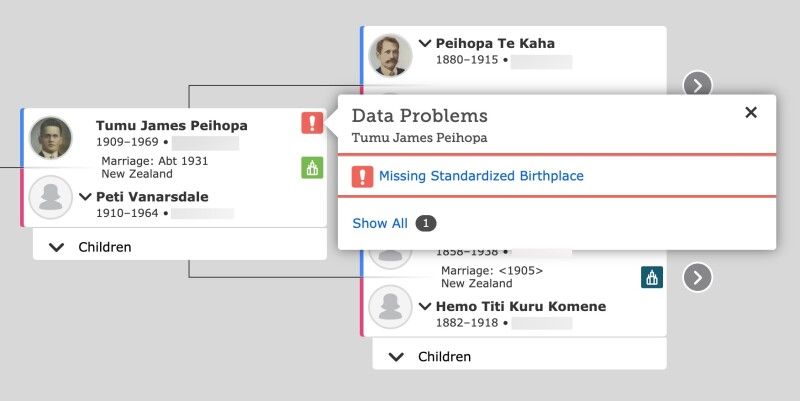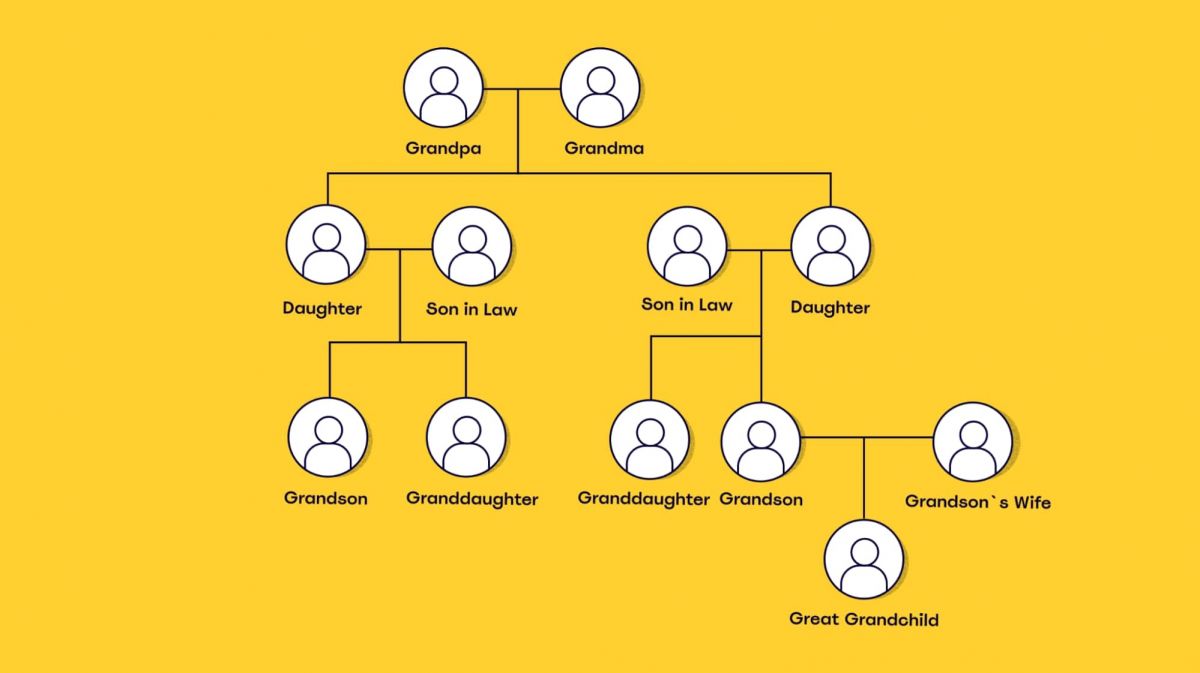
Tracing your ancestry has never been so easy in FamilySearch Tree. This free mobile app provides access to the largest global collaborative family tree where you can establish a digital memory book for all your ancestors. Here is a practical guide on how to use the app for building and adding onto your family history.
Starting Point- Download and Login
Download FamilySearch Tree from the Apple App Store or Google Play Store. Once you install it, log in with a free FamilySearch account. If you lack one, just create it in-app with no payment needed. Once logged in, you land on your own "Tree" view with yourself at the top.
Adding Your Immediate Family
Click your profile name, Edit Person for adding date of birth, place etc. After that, add in your parents and spouse (if applicable) as well as children:
Select the Button for "Add Relative" (aka +)
Pick "Father, ""Mother" or Spouse and fill in their details — name, date, birth, marriage. Only for living persons, app hides their details so that it can maintain security of the individuals. When looking for deceased relatives, the data will be visible to assist with linking historical records.
Searching and Attaching Historical Records
The true strength of FamilySearch Tree lies in the thousands of records. Here, every user’s family findings are continually expanding. In the app, when you add a deceased ancestor the app searches for potential historical documents (census records etc) that match what is known about this ancestor. To manually search:
1. Choose a person in your tree.
2. Click on "Search Records" and the app will display all potential results.
Merging Duplicate Entries
As FamilySearch Tree is one tree you may see duplication. The app helps you merge them:
1. Click on the profile of an individual then scroll down to "Possible Duplicates".
2. Compare the information. If they are the same person, select "Merge," and then indicate which details to keep. It makes the tree more accurate for each one.
Collaborating and Correcting Information
Finally, the FamilySearch Tree app is collaborative. You can see which data was contributed by whom and make notes or corrections. To discuss an ancestor:
1. Open their profile.
2. Select "Discuss" (speech bubble icon) to talk to other users.
3. Kindly propose changes with your the "Suggest Edit" tool. Changes are reviewed and traceable.
Adding Photos and Stories
Breathe life into your tree by adding media:
1. Click "Gallery" from a profile, tap '+’ or ‘Add' and select a photo or story from your device.
2. Write a caption and clarify which outlet it is from. The app maintains an everlasting trail of evidence detailing who uploaded each piece.
Staying Organized and Synced
What you add on the mobile app automatically synchronizes with FamilySearch and other users see the historical data instantly. No need to save it manually. In addition, you can safely check and manage your family tree offline. To organize your research, make use of the "Notes" writing section in each profile to record questions you aren't able to answer or sources that require revisiting later.
Final Tips
Go from the known to unknown: begin with your 2nd great-grandparents before going back centuries.
1. Use the "Watch" option for ancestors whose profiles you are researching and be would get alerts when others update information on that profile.
2. Keep in mind that the tree is on shared ground, so please be kind and reference your sources.
Over time, with regular use, FamilySearch Tree can turn fragmented family history into a detailed and crowd-sourced family tree that fills out as you make more discoveries.